Stop getting ghosted: 18 sales follow-up email templates that work
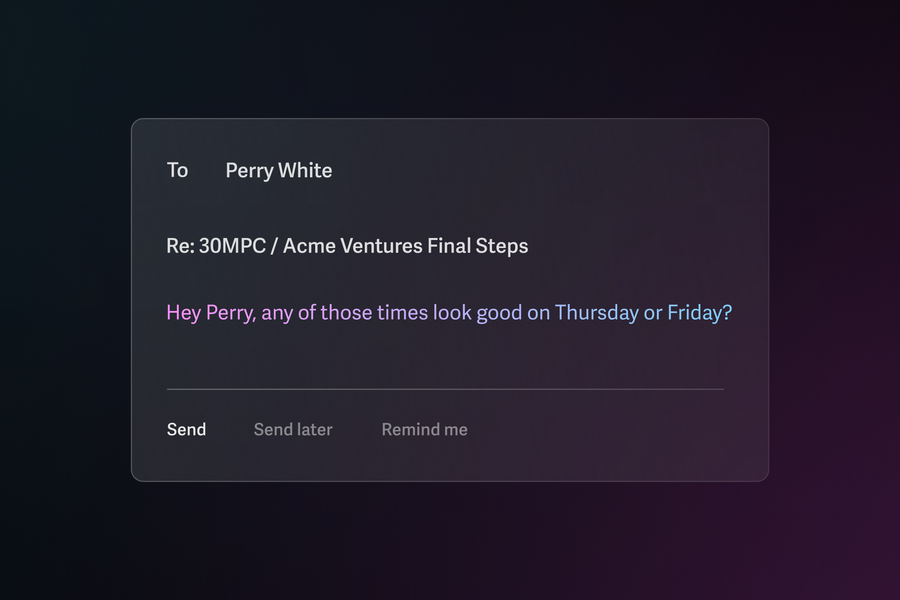
Proven sales follow up email templates to boost response rates. Includes subject lines, timing strategies, and templates for every scenario.
Sales follow up emails are where deals are won or lost. Your initial outreach opens the door, but follow ups move prospects through the pipeline and close revenue.
The challenge is that most follow up emails sound exactly the same. Generic "just checking in" messages get ignored because they add no value and give prospects no reason to respond.
This guide includes 18 proven templates organized by use case, along with subject lines that boost open rates and timing strategies that maximize responses.
Subject lines that get opened
Your subject line determines whether your email gets read or deleted. Keep them short (under 60 characters), specific, and free of spam triggers.
After a meeting or demo:
- Quick question about [specific topic discussed]
- Following up on [company name] demo
- [Their name], here's what we discussed
- Next steps for [project/initiative]
After no response:
- Did I lose you?
- Should I close your file?
- Still interested in [specific outcome]?
- [Their name], any thoughts?
Trigger event follow ups:
- Saw your team is hiring for [role]
- Thoughts on [industry news/development]
- Question about [content they downloaded]
- Noticed [specific company news]
Reconnecting after time passes:
- It's been a while
- Things have changed at [your company]
- Still thinking about [pain point discussed]?
- New [feature/resource] you might like
Value-driven follow ups:
- [Resource] to help with [their challenge]
- How [similar company] solved [problem]
- Quick idea for [their goal]
- [Number] ways to improve [metric they care about]
18 sales follow up email templates
Use Case 1: After a meeting or demo
Following up after a meeting is critical. Your meeting recap email should land within 24 hours while the conversation is fresh.
Template 1: Standard post-meeting follow up
Subject: Next steps for [company name]
Hi [Name],
Thanks for taking the time to meet today. I enjoyed learning about [specific challenge or goal they mentioned].
Here's a quick recap of what we discussed:
- [Key point 1]
- [Key point 2]
- [Action item with owner]
As a next step, I'll [your action item] by [date]. On your end, [their action item] would help us move forward.
Does [day] at [time] work for a follow up call to review?
Best, [Your name]
Template 2: Post-demo with social proof
Subject: How [similar company] achieved [result]
Hi [Name],
Great demo yesterday. Based on what you shared about [specific pain point], I wanted to send over a case study from [similar company in their industry].
They were dealing with the same [challenge] and saw [specific result] within [timeframe] of implementing our solution.
I think sections 2 and 3 will be especially relevant given your team's priorities around [initiative they mentioned].
Worth a quick call Thursday to discuss how this might apply to [their company]?
Best, [Your name]
Use Case 2: After sending a proposal or quote
The proposal follow up requires a delicate balance. Be proactive without being pushy.
Template 3: Checking in on a proposal
Subject: Any questions on the proposal?
Hi [Name],
I wanted to check in on the proposal I sent over [day]. I know you mentioned needing to review it with [stakeholder/team], so I wanted to make myself available for any questions that come up.
A few things that might be helpful as you evaluate:
- [Key differentiator or benefit]
- [Flexibility point, like payment terms]
- [Support or implementation detail]
Would it help to schedule a quick call to walk through any concerns before your internal discussion?
Best, [Your name]
Template 4: Following up after proposal silence
Subject: Where do we stand?
Hi [Name],
I sent over our proposal last week and haven't heard back. I want to make sure it addressed everything you need to move forward.
If something is missing or if priorities have shifted, I'd rather know now so I can either help solve it or stop taking up your time.
What's the best next step from here?
Best, [Your name]
Use Case 3: After a trigger event
Trigger events signal buying intent. When a prospect downloads content, opens emails repeatedly, or visits your pricing page, follow up quickly with relevant context.
Template 5: Content download follow up
Subject: Thoughts on [resource title]?
Hi [Name],
I noticed you downloaded our [guide/ebook/whitepaper] on [topic]. That's one of our most popular resources, especially for teams dealing with [related challenge].
Curious: what prompted you to look into [topic]? Is this something your team is actively working on?
If it would help, I'm happy to share how other [their role/industry] teams have tackled this.
Best, [Your name]
Template 6: Website activity follow up
Subject: Question about [their company]
Hi [Name],
I noticed some activity from [their company] on our site this week, specifically around [feature/pricing/solution area].
Is your team evaluating solutions for [related problem]? If so, I'd love to learn more about what you're trying to accomplish and see if we might be a fit.
Do you have 15 minutes this week for a quick call?
Best, [Your name]
Template 7: Company news follow up
Subject: Congrats on [news/milestone]
Hi [Name],
Just saw the news about [funding round/acquisition/product launch/new hire]. Congrats to you and the team.
Growth like that usually brings new challenges around [relevant pain point your solution addresses]. We've helped other companies in similar situations [specific benefit or outcome].
Would it be worth a conversation to explore whether we could help [their company] as you scale?
Best, [Your name]
Use Case 4: After no response
When prospects go silent, shift your mindset from getting a "yes" to getting an answer. Make it easy for them to say no, and you'll often get engagement instead.
Template 8: First nudge (3 days after initial email)
Subject: RE: [Original subject line]
Hi [Name],
Floating this back to the top of your inbox. Any thoughts on the below?
Best, [Your name]
Template 9: Second nudge (7 days after first nudge)
Subject: RE: [Original subject line]
Hi [Name],
Still hoping to connect on this. If the timing isn't right, just let me know. Otherwise, would any of these times work for a quick call?
- [Option 1]
- [Option 2]
- [Option 3]
Best, [Your name]
Template 10: The pushaway (14 days after initial email)
Subject: RE: [Original subject line]
Hi [Name],
I haven't heard back, which usually means one of three things:
- The timing isn't right
- You've already solved this another way
- You're swamped and this fell off the radar
If it's #1 or #2, no worries at all. Just let me know and I'll stop reaching out. If it's #3, I'm happy to follow up in a few weeks.
Either way, I don't want to be a pest. What would you like me to do?
Best, [Your name]
Template 11: The breakup email (21 days after initial email)
Subject: Closing the loop
Hi [Name],
I've reached out a few times without hearing back, so I'll assume the timing isn't right.
I'm going to close out your file for now, but feel free to reach out if things change on your end. I'm always happy to pick the conversation back up.
Wishing you and the team all the best.
Best, [Your name]
Stop losing deals to forgotten follow-ups
These templates work, but only if you actually send them. Superhuman Mail's Snippets let you save every template above and insert them with a keystroke. Reminders automatically nudge you when prospects don't reply.
Sales teams using Superhuman Mail respond 2x faster and save 4 hours every week.
Use Case 5: After leaving a voicemail
Pairing voicemails with emails increases response rates. Send the email immediately after leaving the voicemail.
Template 12: Voicemail follow up
Subject: Just left you a voicemail
Hi [Name],
I just tried calling and left you a quick voicemail about [topic/reason for call].
I'll keep it brief here too: [One sentence summary of why you're reaching out and the value].
Would [day] at [time] work for a quick call? If not, feel free to grab time directly on my calendar: [calendar link]
Best, [Your name]
Use Case 6: After a trade show, conference, or networking event
Event follow ups should happen within 48 hours while the interaction is fresh. Reference specific details from your conversation to stand out from the flood of generic follow ups.
Template 13: Event connection follow up
Subject: Great meeting you at [event name]
Hi [Name],
It was great connecting at [event name] yesterday. I really enjoyed our conversation about [specific topic you discussed].
You mentioned [challenge or goal they shared]. I thought you might find this [resource/case study/article] helpful since it covers exactly that.
Would you be open to continuing the conversation over a call next week? I'd love to learn more about what you're working on at [their company].
Best, [Your name]
Template 14: Booth visitor follow up
Subject: Following up from [event name]
Hi [Name],
Thanks for stopping by our booth at [event name]. I hope you enjoyed the rest of the conference.
Based on what you shared about [their challenge], I wanted to send over [relevant resource or information] that might be useful as you think about [their goal].
If you'd like to explore this further, I'm happy to set up a quick call. Would [day] at [time] work?
Best, [Your name]
Use Case 7: Reconnecting after time has passed
Sometimes deals stall for reasons outside your control. A well-timed reconnection email can revive opportunities you thought were dead.
Template 15: Checking back in after months
Subject: Still on your radar?
Hi [Name],
It's been a few months since we last spoke about [topic/challenge]. I've been thinking about your situation with [specific challenge they mentioned] and wanted to check in.
Has anything changed on your end? Are you still looking at solutions for [problem]?
If timing is better now, I'd love to reconnect and see how we might help.
Best, [Your name]
Template 16: New feature or update reconnection
Subject: Something new that might interest you
Hi [Name],
When we last spoke, you mentioned that [specific limitation or need] was a blocker for moving forward.
I wanted to let you know we've since [launched new feature/updated pricing/added capability] that directly addresses that.
Would it be worth a quick call to show you what's changed?
Best, [Your name]
Use Case 8: Following up with a different stakeholder
Sometimes your contact isn't the decision maker, or they've gone silent. Reaching out to another stakeholder can restart momentum.
Template 17: Multi-threading to a new contact
Subject: Quick question about [initiative/project]
Hi [Name],
I've been working with [original contact] on [project/initiative], and they mentioned you're involved in [their area of responsibility].
I wanted to reach out directly to see if you have any questions about [your solution] or if there's anything I can help clarify from your perspective.
Do you have a few minutes this week to connect?
Best, [Your name]
Template 18: Executive outreach when deal stalls
Subject: [Their company] + [Your company]
Hi [Name],
I've been working with your team on [project/initiative] and wanted to reach out directly to make sure we're aligned on how we can help [their company] achieve [goal].
[One sentence on the value/ROI your solution provides.]
Would you have 15 minutes to discuss? I want to make sure we're addressing the right priorities.
Best, [Your name]
Follow up timing and cadence
When you follow up matters as much as what you say. Here's a proven cadence for different scenarios:
After a meeting or demo:
- Same day or next morning: Send recap email
- 3 days later: Check in if no response
- 7 days later: Follow up with additional value
After sending a proposal:
- 2 days later: Quick check-in on questions
- 5 days later: More direct follow up
- 10 days later: Pushaway or escalation
After no response to outreach:
- Day 0: Initial email
- Day 3: First nudge
- Day 7: Second nudge with new times
- Day 14: Pushaway
- Day 21: Breakup
Best days and times:
Research from Salesforce shows Tuesday through Thursday mornings between 9 and 11 AM in your prospect's time zone tend to generate the highest engagement. Avoid Monday mornings when inboxes are fullest and Friday afternoons when attention drops.
For later-stage deals with agreed-upon next steps, tighten your cadence. Don't wait three days for a response during contract redlines or legal review.
How to write effective follow up emails
The templates above give you a starting point. Here's how to make them work even better.
- Lead with value, not asks. Every follow up should offer something useful to the prospect. Share relevant content, answer anticipated questions, or provide insights specific to their situation. When you consistently add value, prospects look forward to hearing from you.
- Keep it scannable. Your prospects are busy. Use short paragraphs, clear formatting, and obvious calls to action. If someone has to read your email twice to understand what you want, they probably won't respond. For more on this, see our guide on how to write sales emails people actually read.
- Reference previous conversations. Remind prospects of context from your last interaction. This jogs their memory and shows you're paying attention to their specific needs, not just blasting the same message to everyone.
- Include one clear call to action. Don't overwhelm prospects with multiple asks. Each email should have one obvious next step, whether that's scheduling a call, reviewing a proposal, or simply confirming they received your message.
- Personalize beyond the first name. Generic personalization feels automated. Reference their company, industry challenges, recent news, or specific details from previous conversations.
Common mistakes to avoid
- Starting with "Just checking in" - This phrase signals you have nothing new to offer. Always lead with value or a specific question.
- Writing walls of text - Long emails don't get read. Keep follow ups short and scannable. If you need to share detailed information, summarize it in the email and attach or link to the full resource.
- Being vague about next steps - "Let me know your thoughts" puts the burden on the prospect. Propose specific times or actions to make responding easy.
- Following up too frequently - Sending multiple emails per day or ignoring signals that timing is wrong damages relationships. Space your follow ups appropriately and know when to pause.
- Using the same template for everyone - Generic follow ups feel automated and impersonal. Customize each email based on your previous conversation and the prospect's specific situation.
- Forgetting to proofread - Typos and wrong names destroy credibility instantly. Review every email before sending, especially when using templates.
How Superhuman Mail streamlines follow ups
Sending effective follow up emails at scale requires more than good templates. Superhuman Mail helps sales teams automate the tedious parts while keeping communication personal and timely.
- Snippets let you save these templates and insert them with a keyboard shortcut. Create variations for different scenarios, like "Ghost-1," "Ghost-2," "Ghost-3," and rattle them off without retyping.
- Reminders ensure you never forget a follow up. Set a reminder when you send an email, and Superhuman Mail nudges you if you don't get a reply. Follow up on time, every time, without mental overhead.
- Read Statuses show when prospects open your emails and on what device. Know if someone is seeing your messages but not responding (real ghosting) versus emails that aren't getting through.
- Send Later lets you schedule emails for optimal times. Write your follow up now and have it land in their inbox Tuesday at 9 AM in their time zone.
- Superhuman AI helps you personalize at scale. Draft follow ups faster while maintaining your voice and avoiding the robotic tone that kills response rates.
Teams using Superhuman Mail save 4 hours per person every week and respond to twice as many emails in the same amount of time. That means more follow ups sent, more deals advanced, and more revenue closed.
Get started with Superhuman Mail