AI Burnout vs. Overwhelm: What’s the Difference, and What Actually Helps?
Every week brings another announcement: a new AI company, a new product, another feature promising to make work easier. Workers are testing these tools and often finding real value. Most say their technology helps them produce high-quality work, stay productive, and feel accomplished.
Each tool may solve a specific problem. Workers still have to decide which one to use, find the right information, and carry context from one system to the next. In our Human + Technology Experience Index, 56% of workers said simply deciding how to do their work takes as much effort as actually doing it.
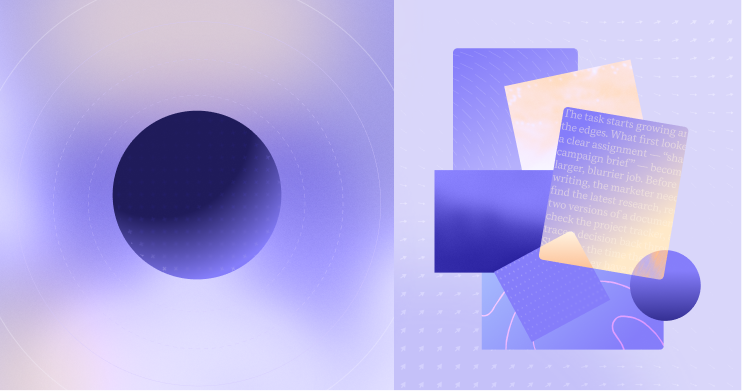
The task starts growing around the edges. What first looked like a clear assignment—“shape a campaign brief”—becomes a larger, blurrier job. Before writing, the marketer needs to find the latest research, reconcile two versions of a document, check the project tracker, and trace a decision back through Slack. By the time they begin writing, they have already worked through a string of smaller tasks and decisions: figuring out where to look, deciding which version to trust, and reconstructing what happened last. Work that once appeared contained now takes far more time, much of it spent setting up the conditions to do it well.
This strain often gets described as “AI burnout.” The phrase captures a real sense of fatigue, but it combines two different workplace experiences: overwhelm and burnout.
What’s the difference between overwhelm and burnout?
Overwhelm is the immediate feeling that the demands, information, or decisions at hand exceed a person’s capacity to process them comfortably. It can ease when the pressure subsides or the work becomes easier to navigate.
Burnout develops over time. The World Health Organization defines it as a syndrome “resulting from chronic workplace stress that has not been successfully managed.” Its dimensions are exhaustion, distance or cynicism toward work, and reduced professional efficacy. WHO classifies burnout as an occupational phenomenon rather than a medical condition.
Repeated overwhelm can become part of the chronic stress that contributes to burnout, although the terms are not interchangeable. “AI burnout” is useful shorthand for the fatigue surrounding AI adoption and use, but it’s not a formal diagnosis. In many workplaces, that fatigue begins with a more specific problem: Employees spend too much energy navigating how work gets done.
What actually causes overwhelm at work?
Tool count often takes the blame for workplace overwhelm, but it tells an incomplete story. In our research, 91% of respondents using 11–15 tools said their tools helped them end the day with a sense of accomplishment. Among respondents using 6–10 tools, 84% said the same.
These are self-reported associations, so the findings don’t necessarily show that adding tools causes better outcomes. They do show that a broad toolkit can coexist with a strong sense of effectiveness.
More than half of respondents said important information is spread across too many systems. As we mentioned earlier, another 56% said deciding how to do their work takes as much effort as doing the work itself. The report points to a familiar pattern: When a task stretches across several tools, people spend more energy figuring out where to find information and what to do next.The burden takes several forms:
- Decision friction forces someone to choose among overlapping tools.
- Information friction sends them searching for the current brief, answer, or source of truth.
- Context friction requires them to remember what happened in one system and supply it again in another.
Each step may be small, but together they turn employees into the connective tissue for the company’s technology. Workers are tired of holding the stack together.
When does AI add to overwhelm, and when does it reduce it?
AI already helps people draft, analyze, and organize work. Its effect on overwhelm depends on how it fits into the workflow. Our report found that 74% of workers believe AI tools often add more options than clarity, while 60% say AI creates extra work to review or fix. Those frustrations become more pronounced when people are already juggling information, decisions, and tools.
Employees using a stand-alone AI interface still have to find the relevant material, copy it into a prompt, explain the context, check the output, and return the result to the system where the work belongs. AI may speed up an isolated step while leaving every handoff in place.
Connected AI retrieves information across approved systems, preserves context as work moves forward, connects an insight with the action it requires, and surfaces help inside the tool already in use. It can also handle repetitive coordination while keeping approval, accountability, and consequential decisions with people. In short, it can handle the handoffs.
Useful AI gives people fewer things to manage. The work it removes—searching for information, switching between tools, and rebuilding context—can be as valuable as the content it generates.
How can companies reduce AI overwhelm?
- Map work as it happens. Tool inventories show what a company has purchased. Workflow audits show where employees lose time. Teams should identify the points where people search for information, switch systems, duplicate data, reconcile versions, and decide where work belongs.
- Give each tool a clear role. Employees need to know where decisions are recorded, which system contains the source of truth, and which tool supports each recurring task. Clear conventions reduce the number of choices people have to make before they can move forward.
- Choose AI that can work across the existing environment. Context preservation, integration, permissions, and in-flow assistance should carry as much weight as the quality of an AI model’s output. A strong answer has limited value when an employee must assemble its context by hand and transfer the result to another system.
- Automate connective work while preserving human control. AI can retrieve, summarize, route, update, and carry context between steps. Judgment, approval, and accountability should remain visible, especially when a decision affects customers, employees, finances, or access to sensitive information.
- Measure the friction removed. Adoption rates show whether people opened an AI tool. Measures such as search time, system switches per task, duplicate entry, review effort, and confidence in the final output show whether the tool improved the work.
A better role for AI at work
The meaningful task at the start of the day is the same. The marketer still needs to understand the audience, make choices, and shape an effective brief. Better-connected technology reduces the reconstruction required before that work can begin.
Superhuman Go connects with the apps people already use and brings context-aware assistance into existing workflows. AI can carry more of the mechanical context between systems, leaving people with more capacity for judgment and creativity.
The most helpful AI works across the places where work already happens. It enables those places to function as a connected environment so people can spend less energy managing the stack and devote more energy to doing the work that matters.