“Don’t Change My Words”: How One Instructor Made Superhuman Go Her Course-Design Partner

At Phoenix College, instructional designer Julie Magadan taught Superhuman Go her standards and her own voice. See how Go helped her turn a good course into an excellent one.
Julie Magadan helps faculty design many courses. As director of the Center for Teaching and Learning at Phoenix College, part of the Maricopa Community Colleges, she draws on instructional design as both her craft and her educational background. So when she set out to redesign EDU115, the digital-literacy course she teaches to prepare future teachers to use technology in the classroom, the design itself wasn’t the hard part. It was accessibility.
“I know what we’re supposed to do,” she says. “I just don’t know every piece of how to do it.”
Magadan knew the standards cold, including the Web Content Accessibility Guidelines (WCAG) and Universal Design for Learning. What she didn’t know was the technical expertise required to make a Canvas course accessible to every student, on every device, down to the last detail. She wanted a course that was 100% accessible, no exceptions.
That’s where Superhuman Go came in as a partner in the work.
Teaching Superhuman Go her standards
Rather than reach for a generic AI assistant and hope for the best, Magadan built Go a style guide in three parts: the accessibility code, the course competencies, and the learning experience. Then taught Go to work the way she works.
First, refining the accessibility code
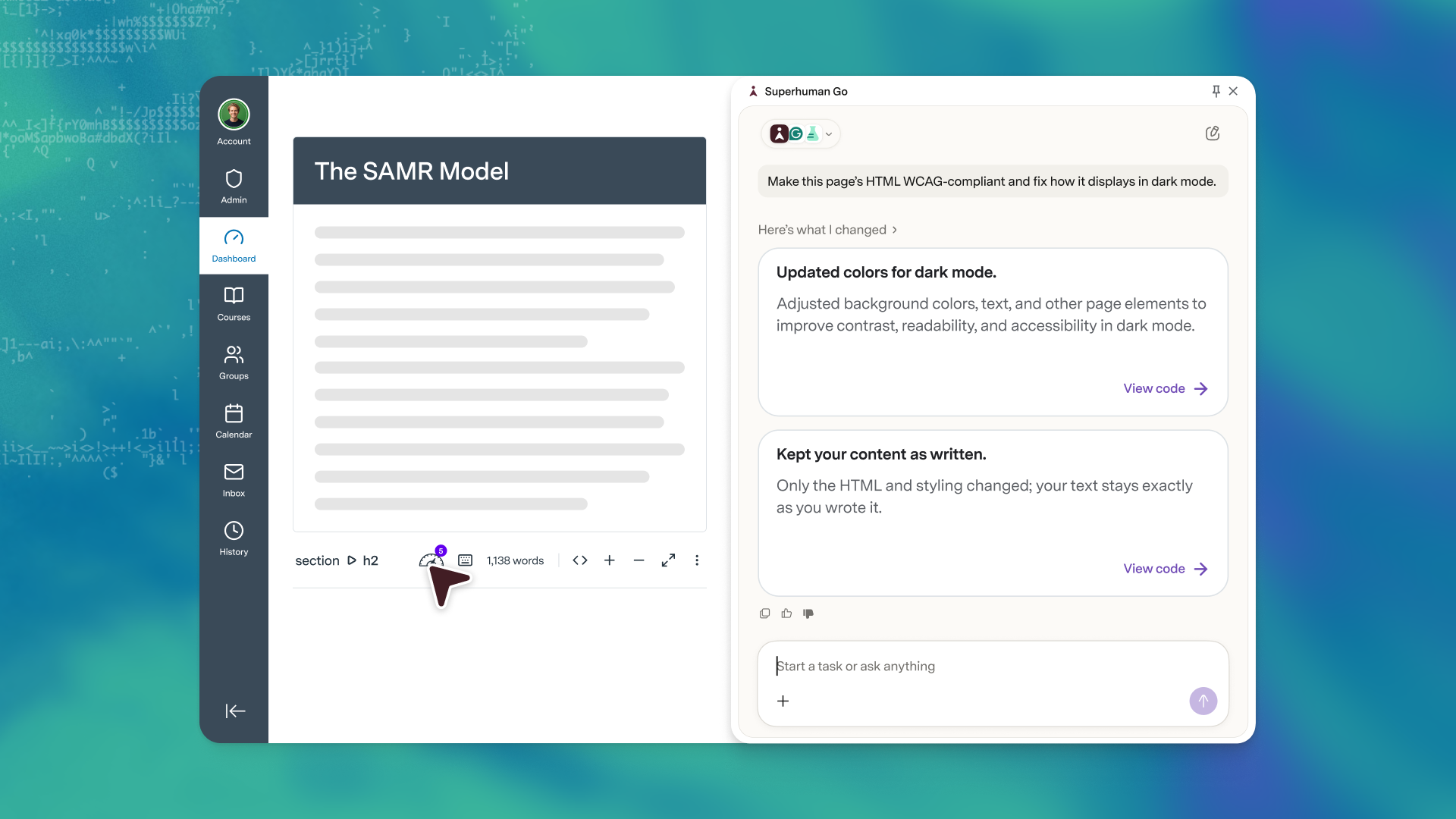
A colleague had shared HTML code that made Canvas pages WCAG-compliant, the kind of code you could paste into any AI tool. Magadan then shared it with Go and asked it to revise her course pages. It was a strong start until she noticed sections broke for any student using dark mode.
So she told Go exactly that: This isn’t working in dark mode; can you see why and fix it? Go shortly pushed new code in Canvas that made dark mode accessible, too.
From there, she layered in her own styling, the institution’s colors, the callouts, and the badge design, so every page of the course looked and felt like a coherent experience.
Next, aligning the course to its competencies
Magadan then shared her course competencies with Go, and walked it through the course module by module. Go mapped each module’s learning objectives to the aligned course competencies, showing whether her proposed syllabus covered everything. This excited her most.
Finally, the learning experience
Magadan shared the Quality Matters standards, which guide best practices for online teaching, and the Transparency in Learning and Teaching framework for transparent assignment design, with Go to elevate the content. As a result, every assignment became clear, every step spelled out, and every task tied to why it mattered and how it would be evaluated.
Go flagged spots she assumed were clear but where a student might stumble. “Look at this page,” she’d advise Go, “and identify where a student might get confused.”
The line she wouldn’t cross
There’s one instruction baked into everything Magadan built with Go: Don’t change my words.
It’s the heart of how she thinks about the tool. “Course design is very purposeful,” she says. “You make purposeful decisions based on the specific message you’re trying to send your students.” So Go can fix the code, suggest a clearer structure, or flag a confusing step.
What Go doesn’t do for her is write (because she said so).
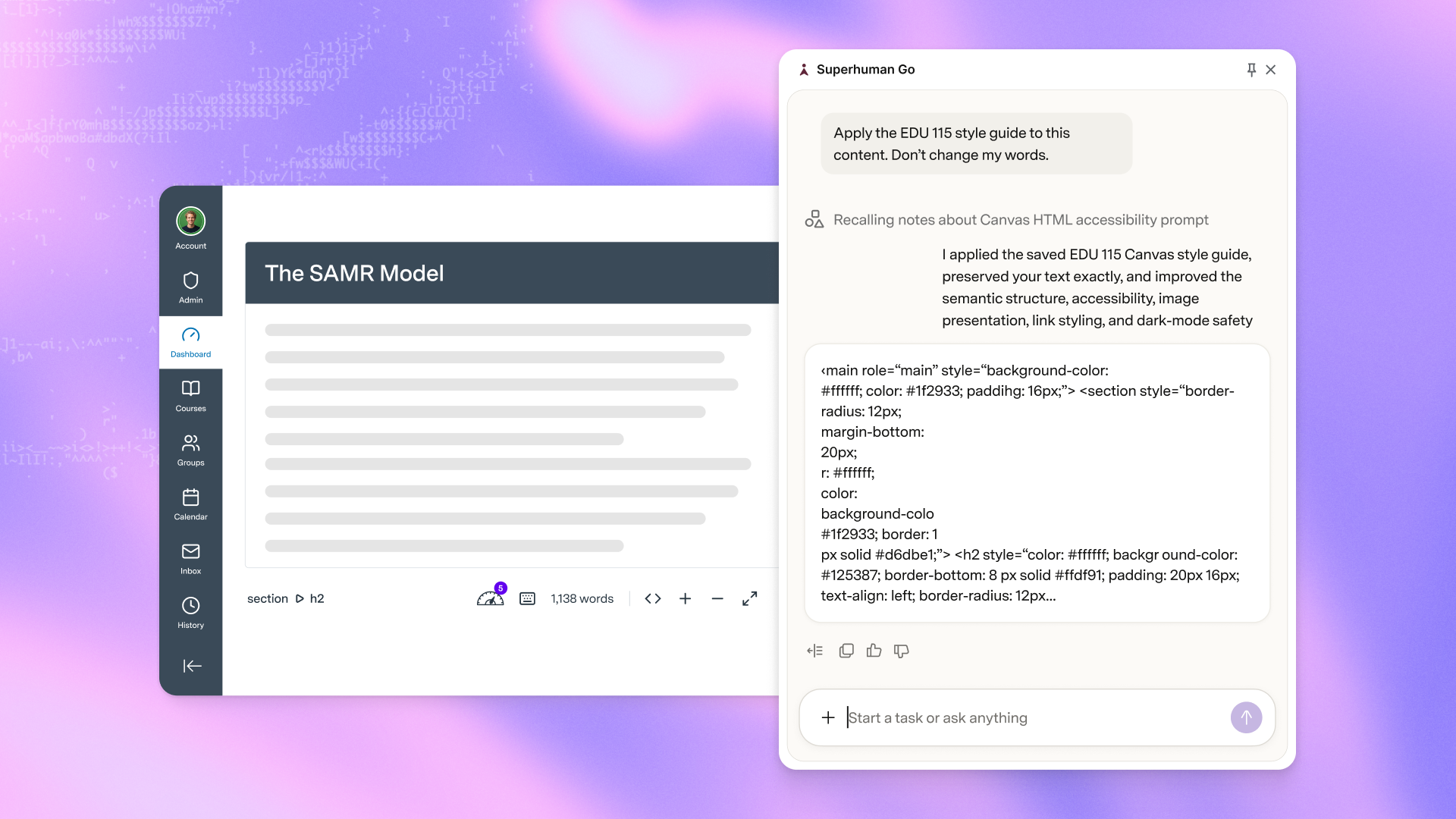
When Magadan pastes a Canvas page into Go, she’s clear about what she wants conveyed. And when a suggestion doesn’t sound like her, she reshapes it until it does. Her welcome videos, her voice, and the intention behind every design choice—those all stay hers.
That’s the difference between a tool that replaces you and one that works alongside you. And she was clear about which one she wanted.
From good to excellent
EDU115 arrived as an already strong course, built by a faculty member Magadan is quick to call exceptional.
She made it her own by bringing her voice and style to it and reshaping the experience while keeping the original’s integrity intact. She reordered modules for better instructional flow, rethought how the course uses instructional technology and AI, reworked the theme, and added a portfolio as final evidence of learning.
The result is more immersive: Students move through an “academy,” earn credentials tied to real projects (designing a lesson, building a gamified activity, publishing to a portfolio), and finish with skills they can carry into their own classrooms.
Go didn’t make those calls. Julie did. What Go gave her was the room to do it well. A course that’s now 99% accessible, with that last percentage point still in her sights, aligned to the competencies and clear enough that students could spend their energy learning. The purposeful, human parts—the welcome videos, the narrative, the decisions about what matters and why—stayed exactly where they belonged.
Advice for other instructors
Magadan is quick to say she’s not a thought leader, but an instructional designer who found a process that works. Finding that process is exactly the leap most faculty haven’t taken yet. Here’s her advice to anyone in a similar position:
1. Start with a specific goal
“If your outcome is accessibility, that’s a good goal. It points to a specific way to use the tool.” Know where your course actually struggles, the assignments that spark the most questions, and the spots where students get stuck so you can point Go to the right problem.
2. Keep student data out of it
Phoenix College’s relationship started with Grammarly, now part of Superhuman, and it previously completed a privacy and security review as a result. Magadan is careful all the same. Nothing about a student goes into the tool that doesn’t need to be there.
3. Expect the work to take a few tries
Getting to a flow she was happy with took several iterations. “A healthy, productive struggle,” she calls it, which is the kind of learning that makes the result hers. What she’d love to ultimately provide is an agentic space where any faculty member could get the course-design help an instructional designer provides, even without one on staff.
“A safe space to be vulnerable about something you don’t understand,” she says, “because you’re not admitting anything to anyone. You’re just talking to a computer.”
Made by the people who use it
Magadan’s story is a small, concrete version of a bigger idea. The best campus AI isn’t handed down from a vendor with all the answers. It’s shaped by the educators who know exactly what a good course looks like and how it’s taught.